
Student Username Selection
Revamping the student username experience to improve account retention, enhance gameplay continuity, and drive long-term revenue growth for Prodigy Education
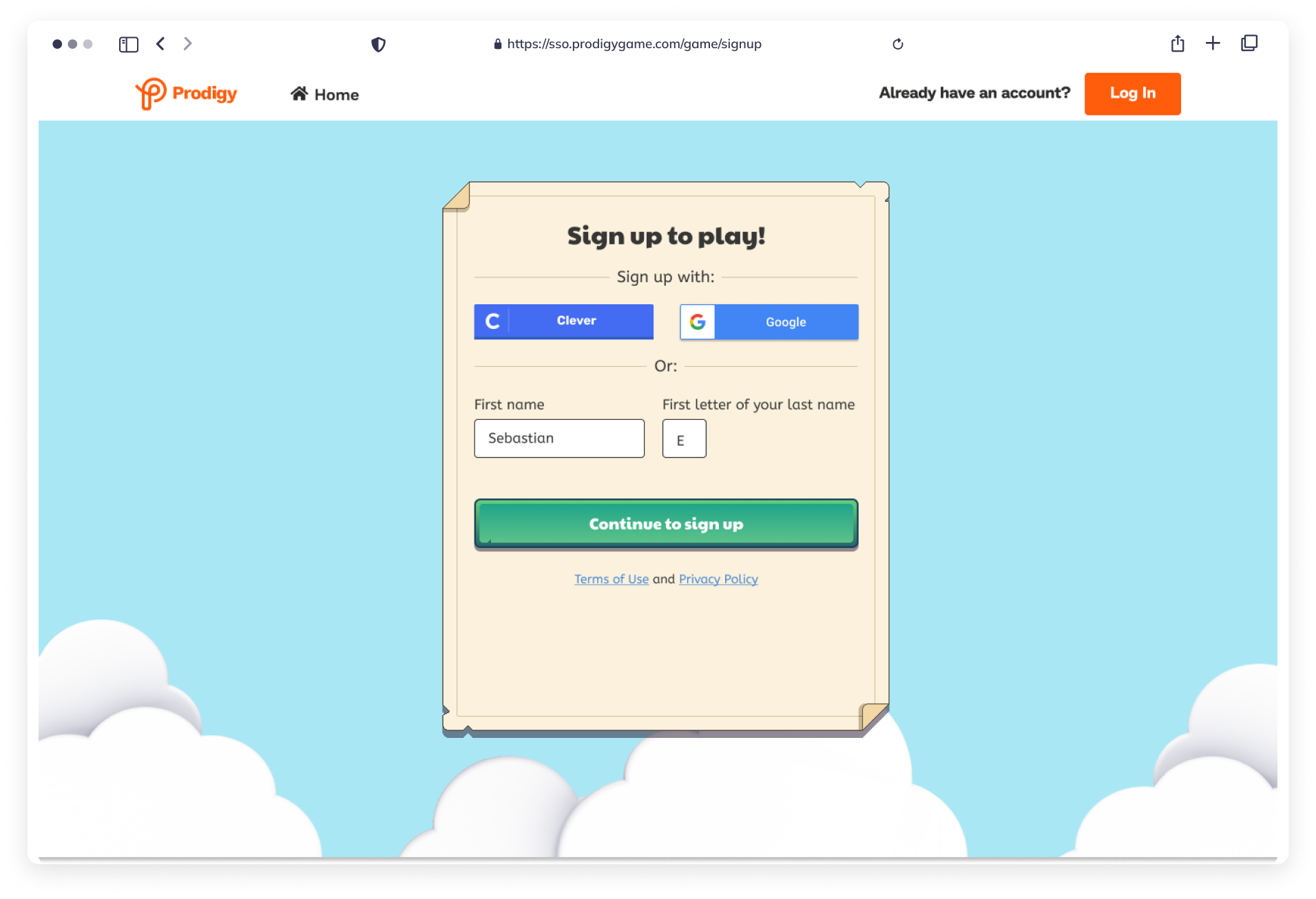
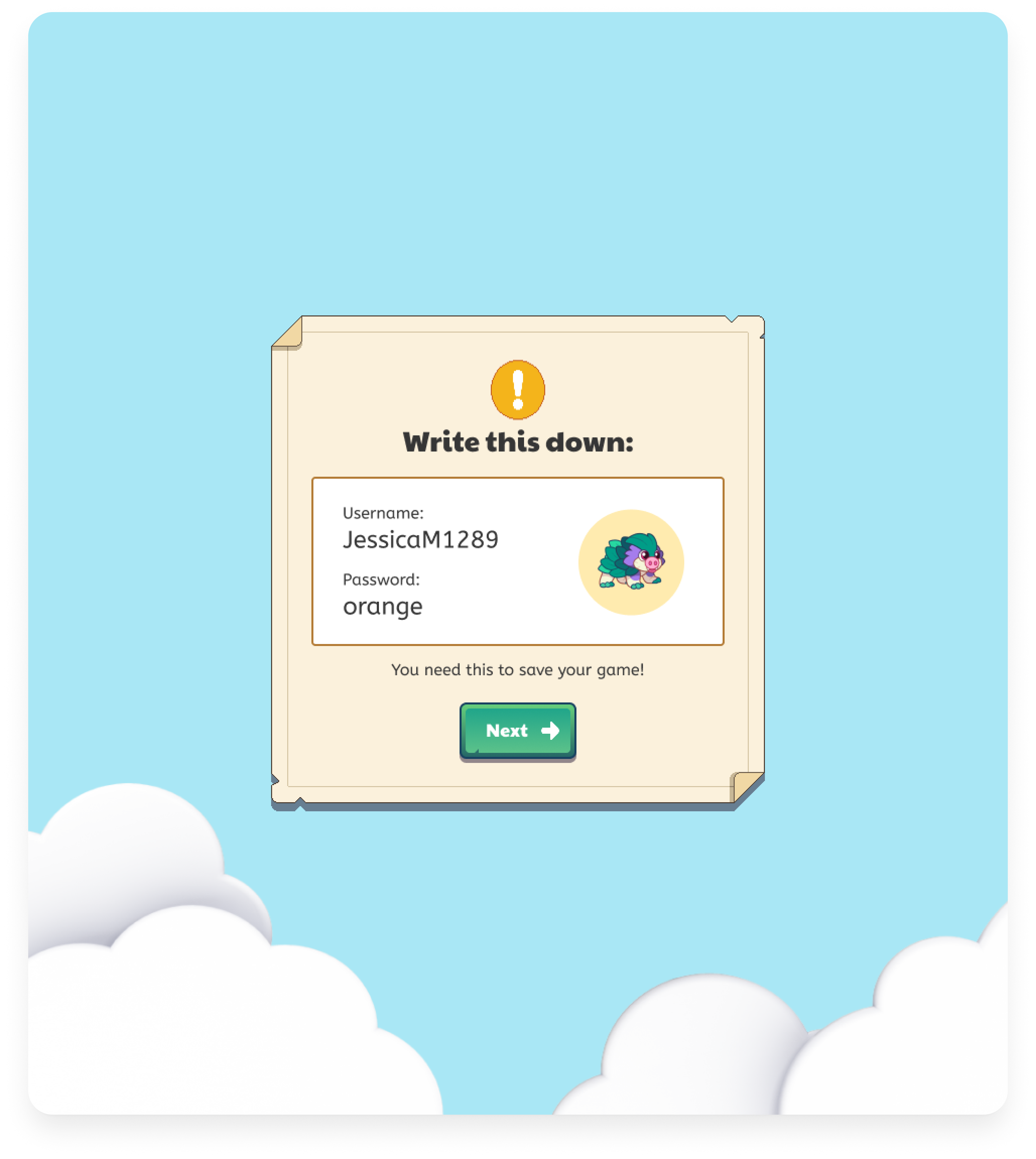
Prodigy’s current student username system automatically combines the student’s first name + last initial + a number or number series.
Students with a Prodigy username and password retain worse than users who log in through Single Sign-On (SSO):
In the Fall of 2022, day 7 activation for username and password users was 10%, whereas Google and Clever users retained higher at 40%.
MY ROLE
Product Designer
As the sole designer on Prodigy’s Identity team, I revamped the student username creation experience to improve account retention and revenue growth.
DURATION
Mar 2023 - Apr 2024
TEAM
1 Product manager
4 Engineers
1 Data scientist
PLATFORM + CLIENT
Desktop, Prodigy Education Identity
TOOLS
Figma, Miro, Dovetail, Optimizely
What problems were we trying to solve?
01
Students lack awareness of the usernames we auto-generate
- Students lack awareness of the usernames we auto-generate because it is done on their behalf
- We know that this problem exists regardless of who creates the student account (student, parent, teacher)
02
Students fail to remember their usernames
- Generating a username that the student has very little control over makes it very difficult to remember such an important piece of information
03
Our system creates a username + account in one database transaction
- This limitation means that we cannot find a unique username without also creating an account
- As a result we cannot allow students to provide us with a username that they want to use without potentially creating many accounts that will never be used
What does success look like?
From a technical perspective:
- Take a “best effort” approach to limiting the collection of Personally Identifiable Information (PII)
- Check the uniqueness of a given username
- Allow for product teams to iterate on how best to present username creation to students
From a user perspective:
- ↑ in the % of username accounts that login on a 2nd device
- ↑ on High Value Players (HVP)
HVP - students who played for more than 30 mins and have a home session in a week

THE IDEATION PROCESS
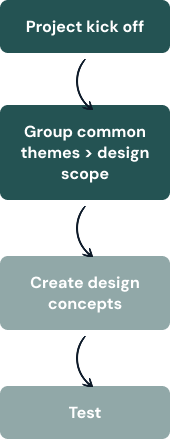
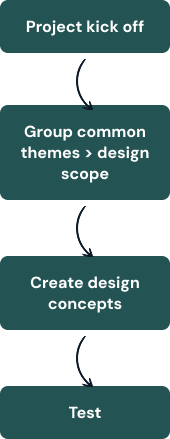
Project kick off
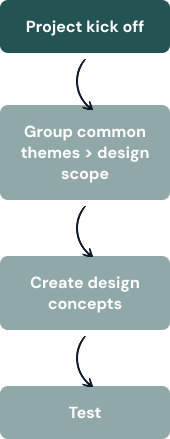
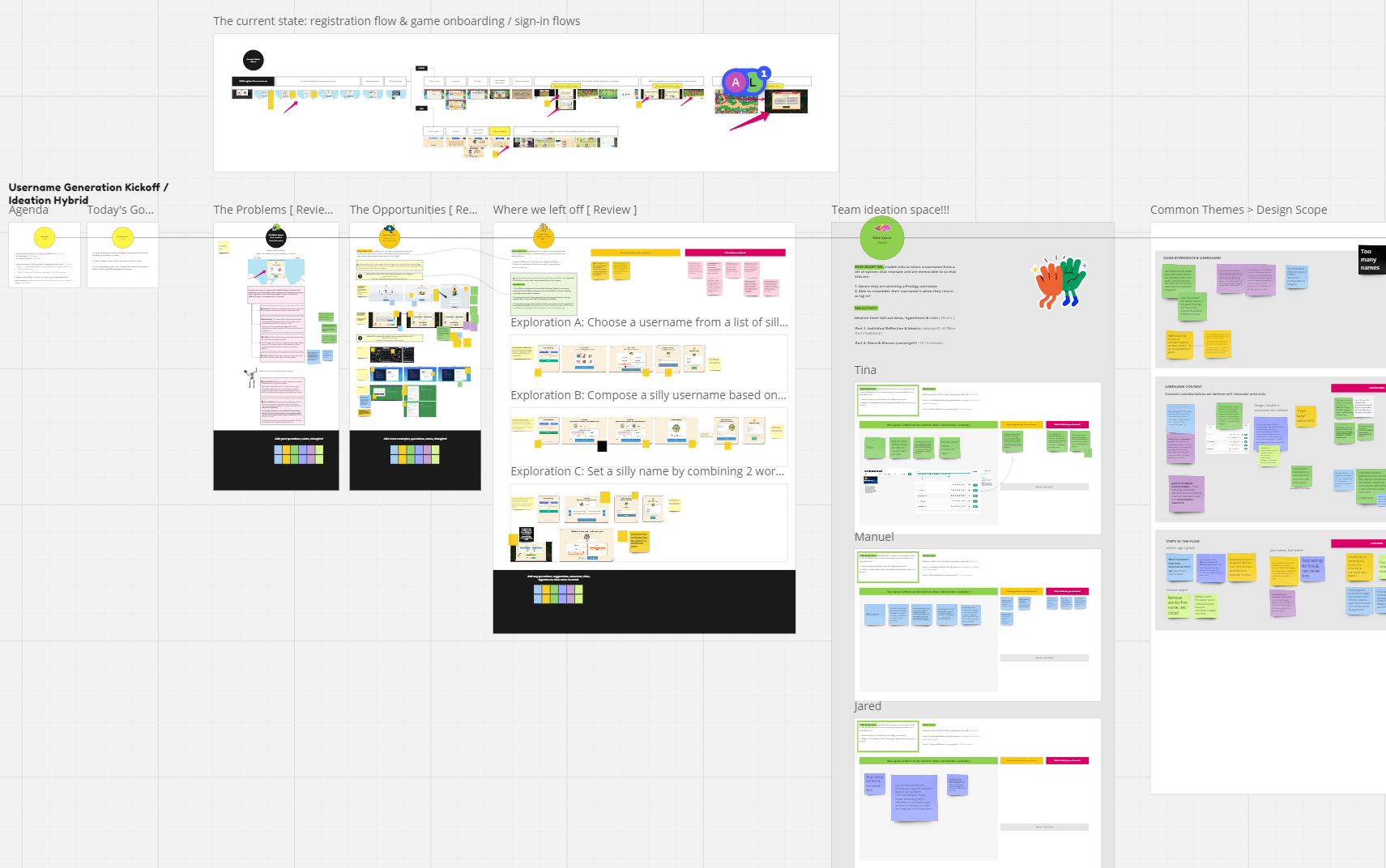
Project kick off involved core stakeholders within Identity which consisted of Data, Engineering, and Product. Our goals included:
- Gather team alignment on the problems and opportunities for student username creation
- Team collaboration: idea sharing and discussion
- Summarize top concept direction for design to refine and to kickoff planning for testing
Group common themes to determine design scope
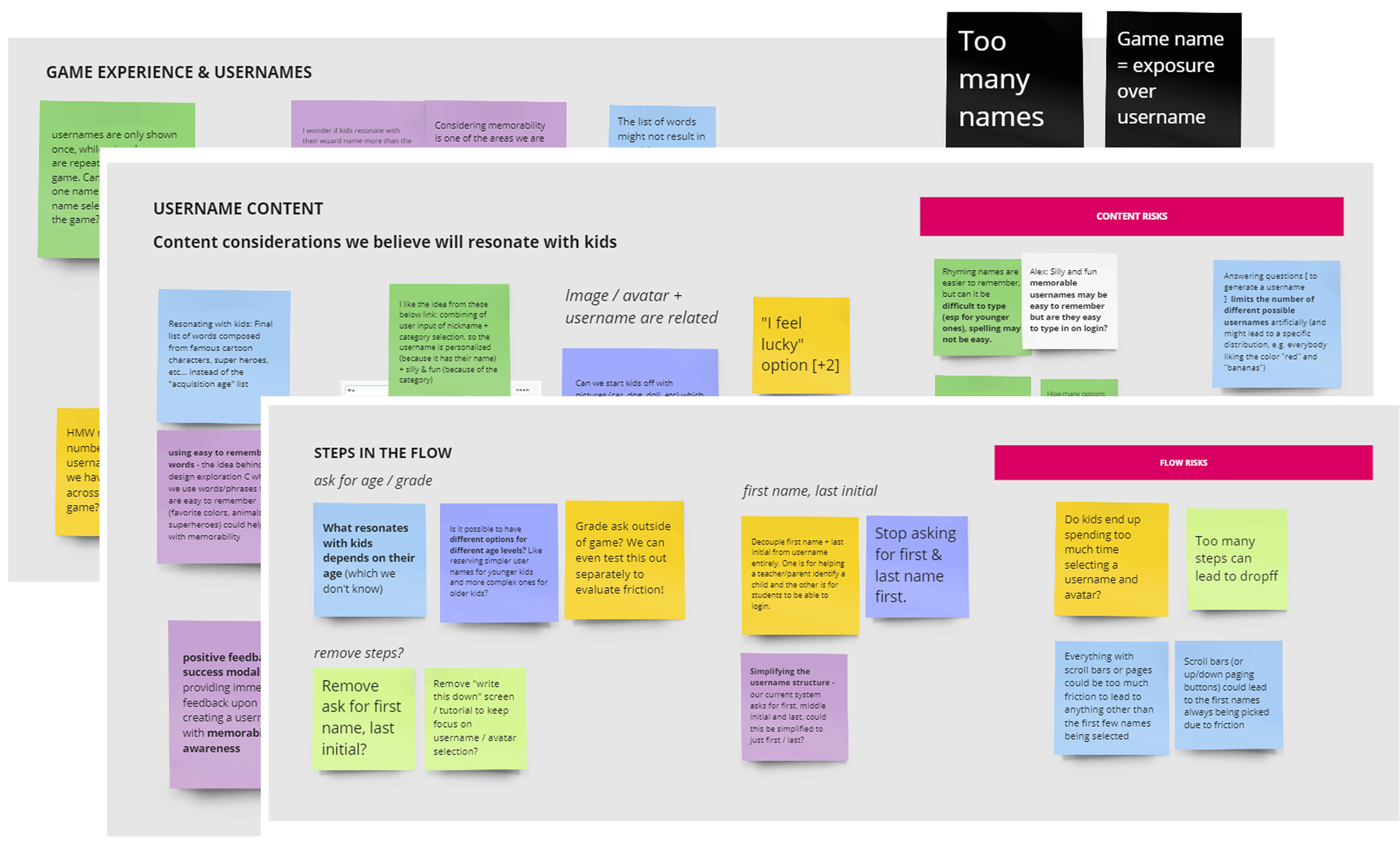
From the kick off I was able to group our ideation session into 3 main themes:
- Game experience and usernames - In the current Prodigy experience, students get a “Wizard name” as well as their username, but the wizard name is what they are consistently exposed to in the game. We determined that in an ideal world we have 1 system with a memorable name
- Username content - usernaame ideas that are generated for kids should be content is easy for kids to remember, and the content can be dynamic depending on how old the child is
- Steps in username creeation flow - when we should be asking for username, first and last name, or grade
Design scope:
- North star/future state: One username system - the username the child creates should carry over into the games
- V1: Username generation should enable the child to actively select/compose their username from a set of fun, simple options, as well as the ability to choose defaults
Design concepts
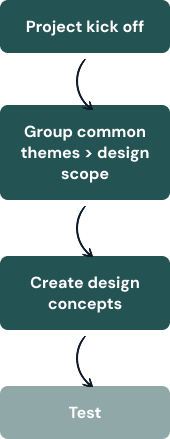
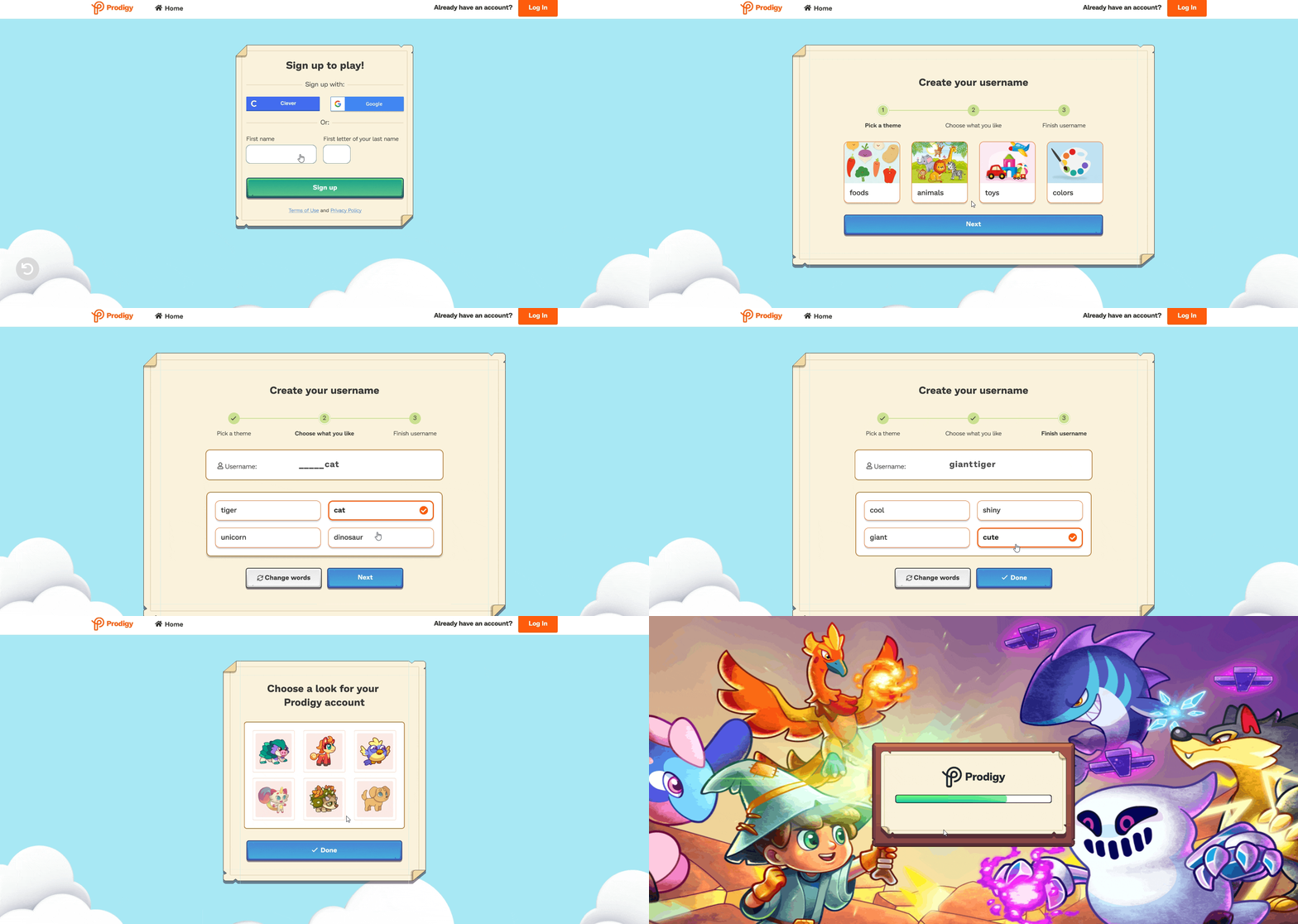
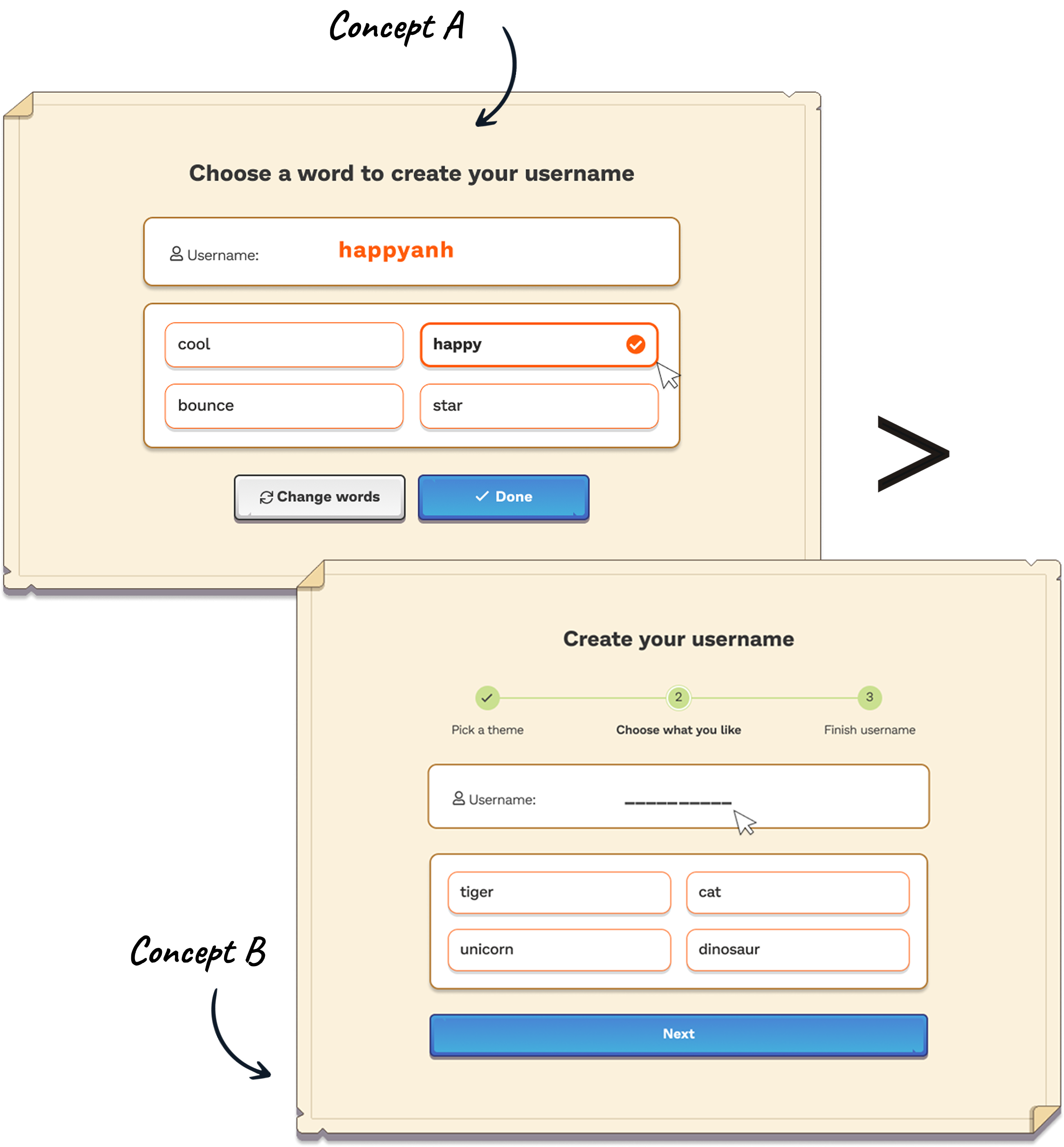
I designed and prototyped 2 low-fidelity concepts to test with students:
Concept A which allowed the student to build a username based on the name that they entered
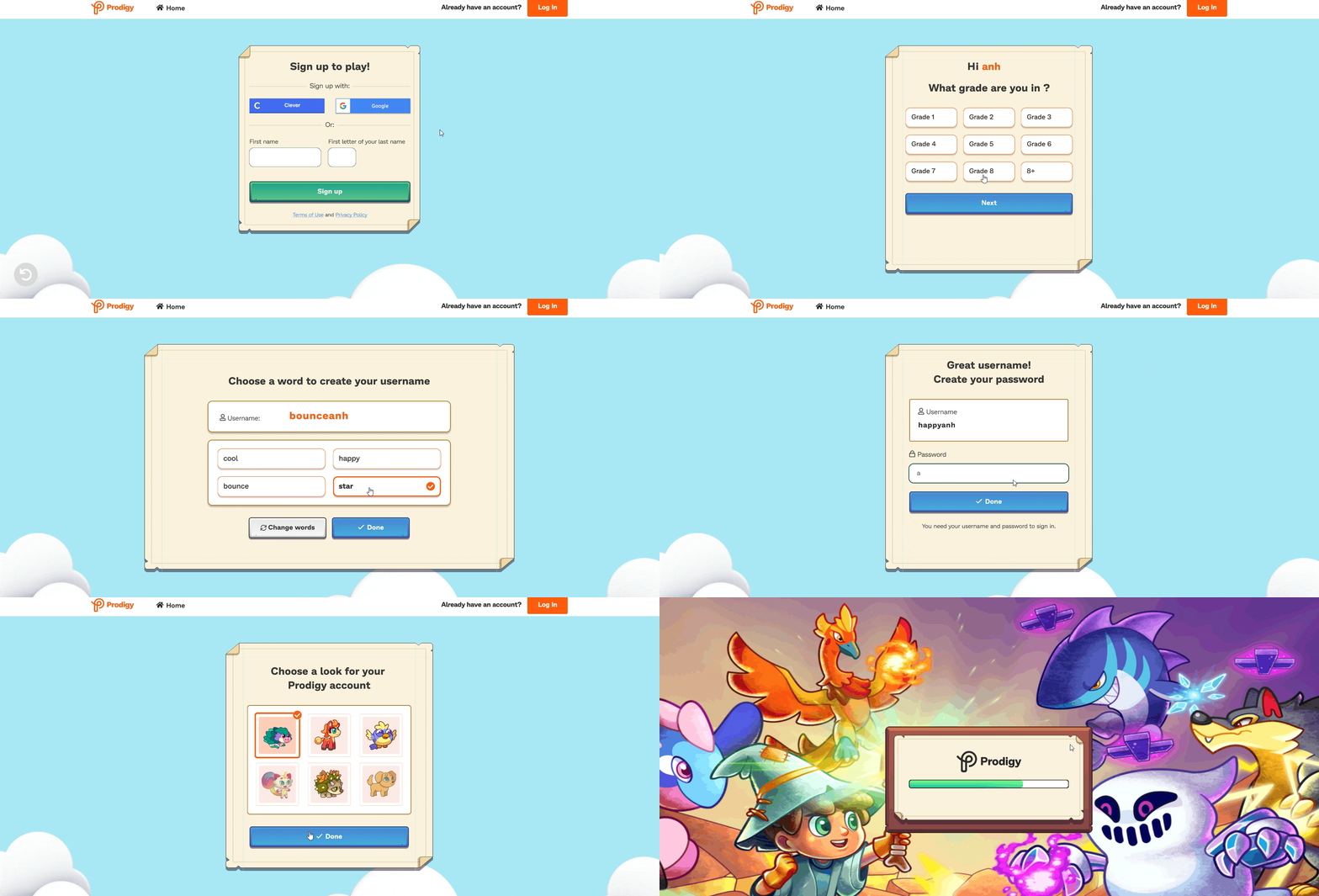
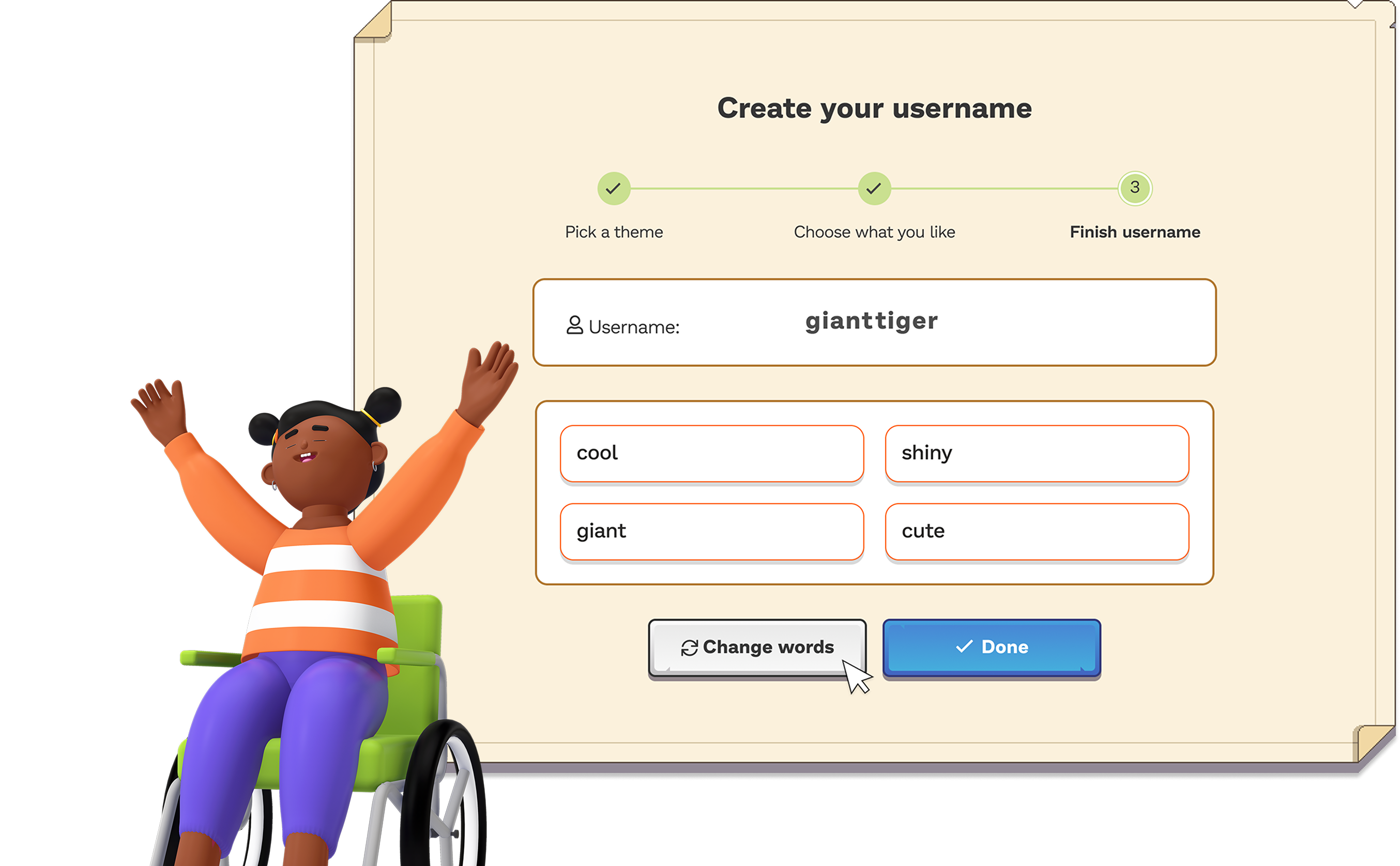
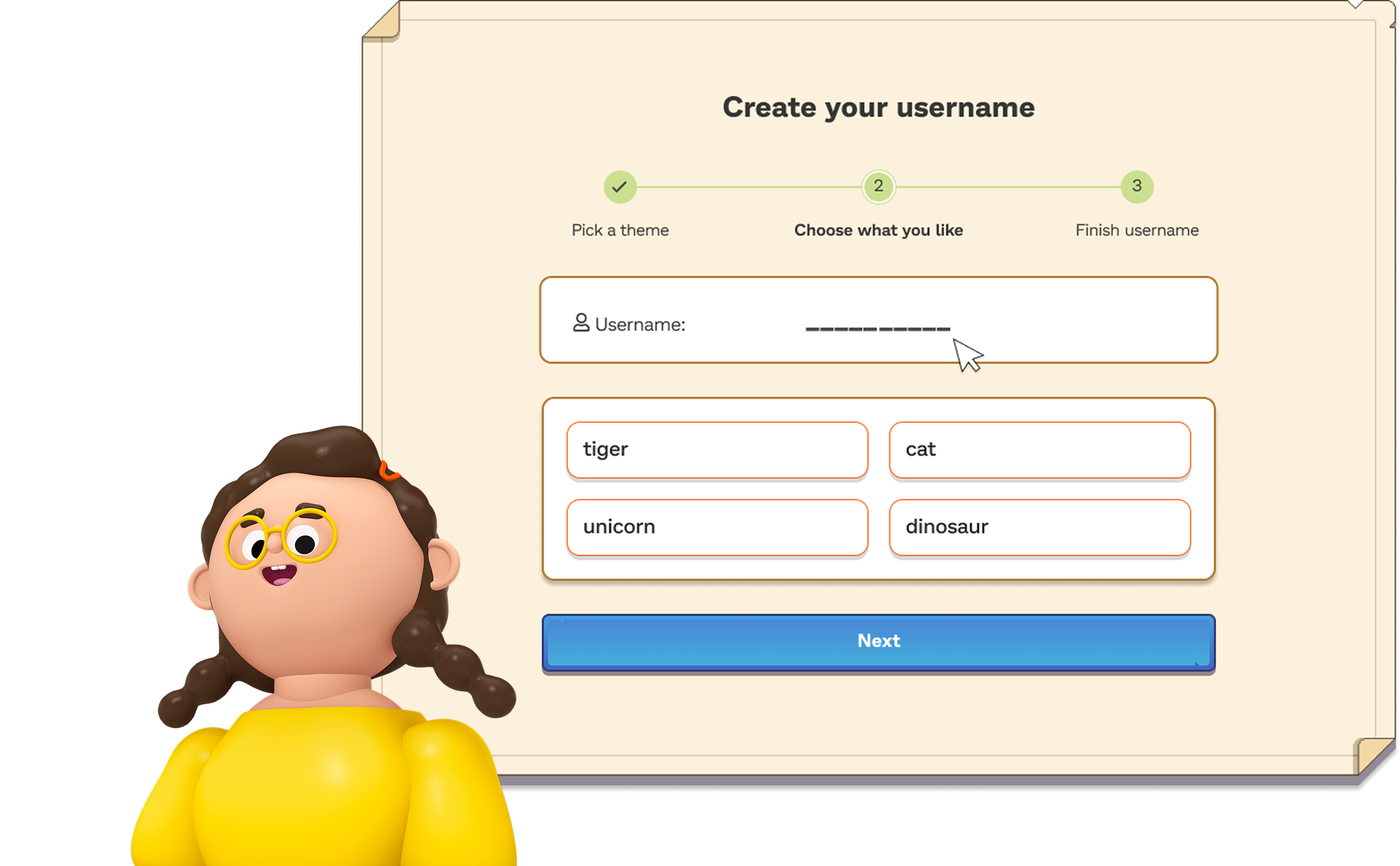
Concept B where students build a username based on a theme that resonated with them
Testing concepts
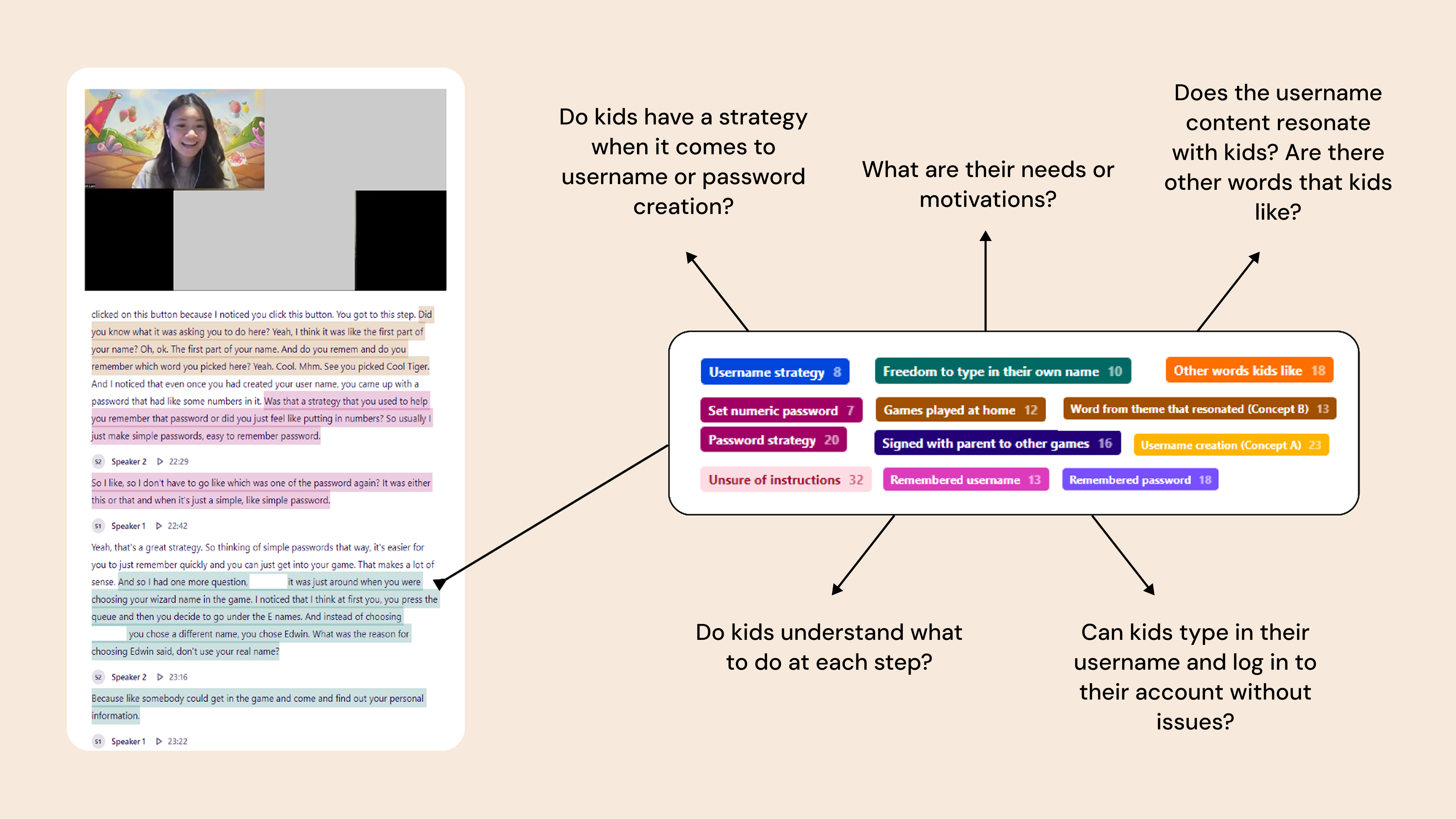
We ran a moderated, internal remote usability study with 19 participants. We hypothesized that by giving kids the ability to create a username from a set of options, kids of all ages will understand that they have a username, remember it, and be able to log back into Prodigy
WHAT WE LEARNED
I synthesized the findings and insights from concept testing into 4 main themes:
01
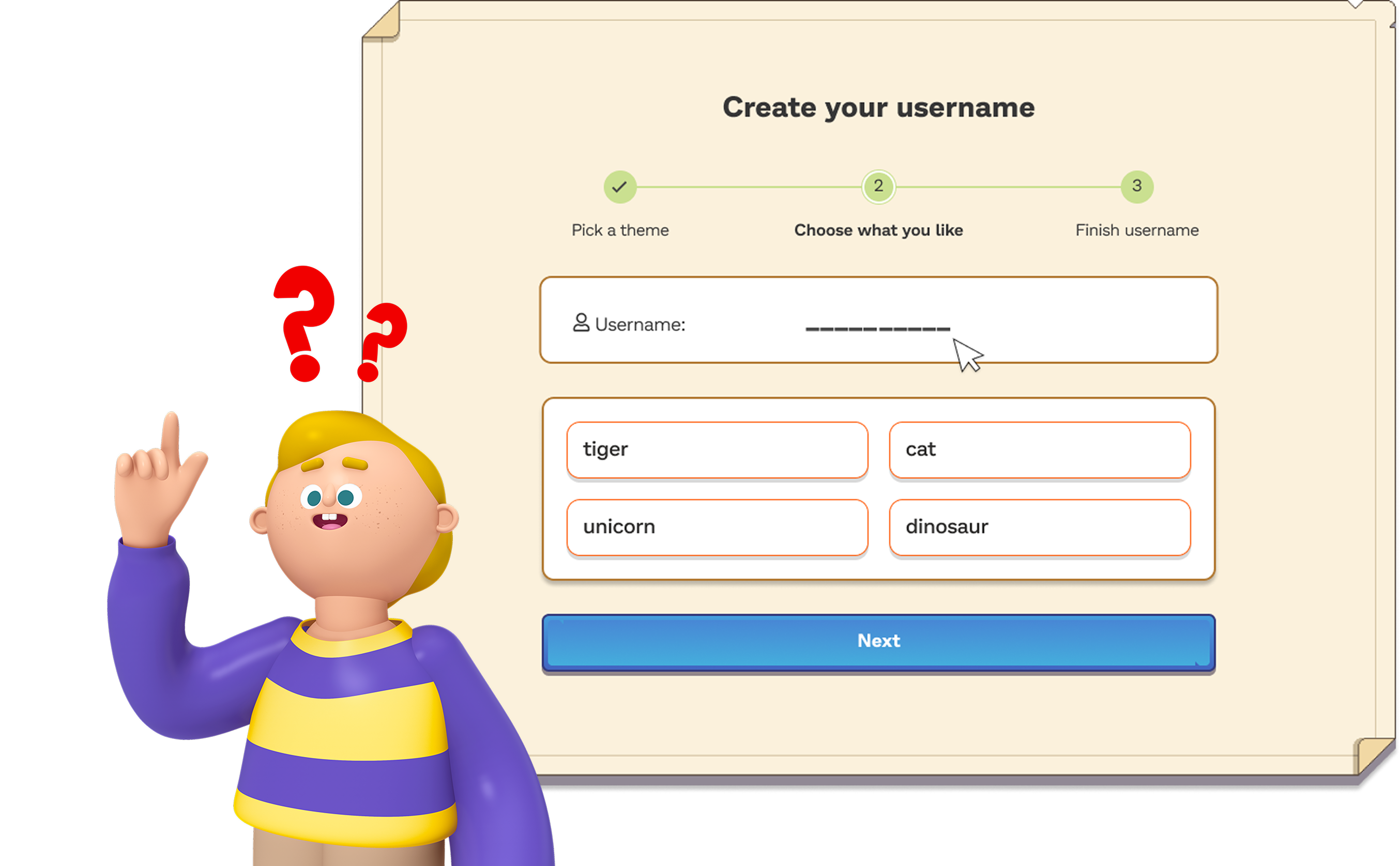
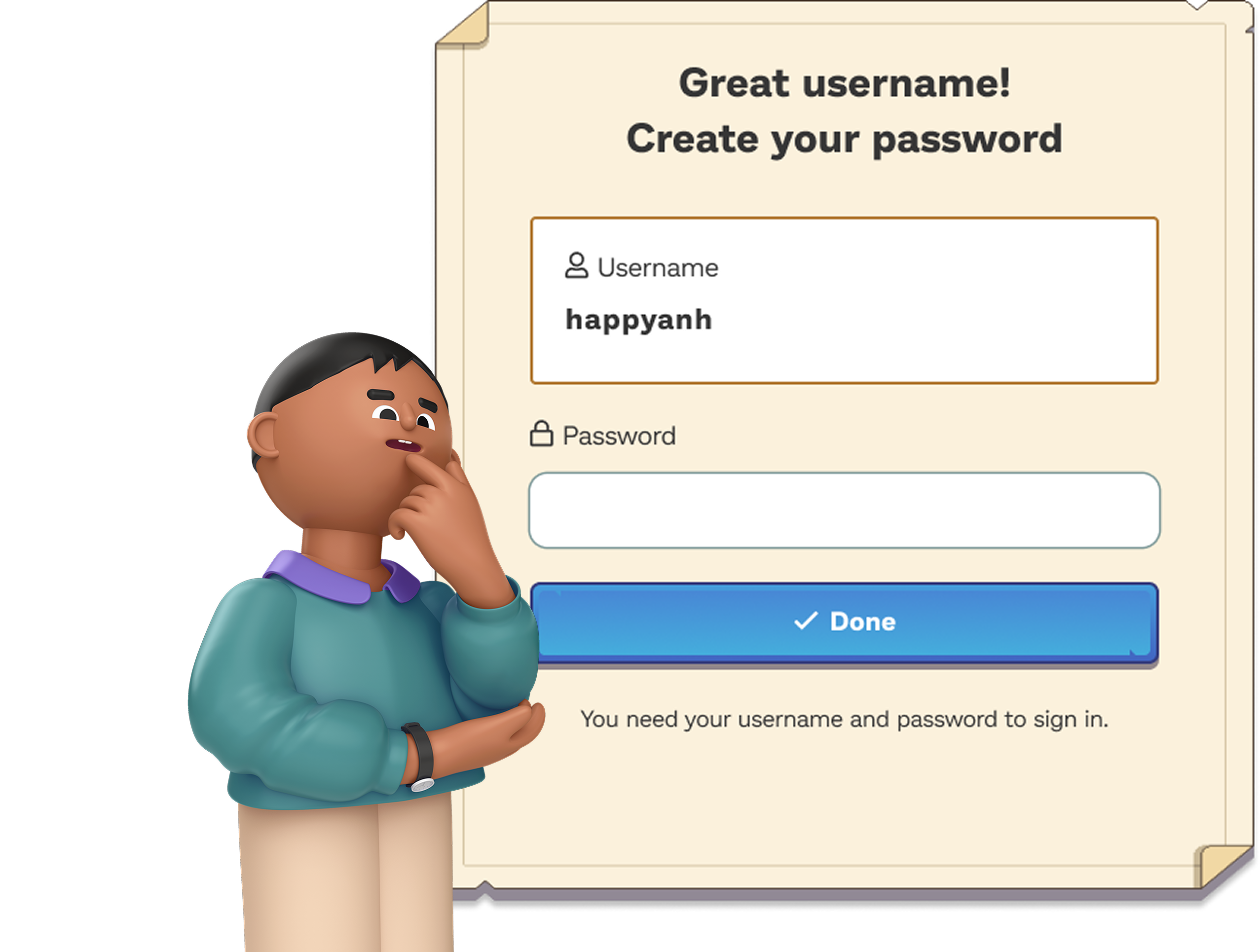
Students in grades 1-2 don't fundamentally understand the meaning of a "username" due to lack of experience creating usernames. They need help from a grownup when signing up for games like Prodigy
Both Concept A and Concept B exhibited design flaws that made it confusing for kids grades 1-2 to understand what they were doing (ie. the fill in the blank, number of steps, choices to make) however kids fundamentally lacked an understanding of what a username is to be able to sign up for an account successfully on their own
02
Students in grades 1-2 are still learning about "passwords". They need help and support from a grownup to read the instructions, type or spell their passwords
While kids in grades 1-2 seemed to be more aware of what a “password is” and seemed to be more familiar with the concept of a password than that of a “username”, they still needed support to read through the instructions, type their password using the keyboard, or spell their password upon login
03
Username creation for students in grades 3-5 involves active and thoughtful decision-making in contrast to younger students who often require assistance due to a limited understanding of the concept
In both Concepts A and B, most students in grades 3-5 had various rationales as to how they decide on a username. This suggests that most students in this age group tend to make username choices that are not arbitrary but rather reflect thoughtful and purposeful decision-making processes
04
Students in grades 3-5 expressed a desire to be able to personalize their username in a way that resonates with their interests
In both Concepts A and B, students in grades 3-5 exhibited a desire to personalize their usernames based on their interests, but also seemed to be satisfied with the options provided. Upon creating usernames, students in this age group understood the username creation steps and showed a capacity for creative thinking, generating ideas beyond the provided options
Design recommendations
Age-based registration and login paths
- We can use the grade selection screen to place students in grades 1-2 and students in grades 3-5 on dedicated paths
- For younger kids (grades 1-2): Consider Text To Speech (TTS) to help guide kids to crucial prompts like "get a parent to help"
- For older kids (grades 3-5): There are 2 paths we could A/B test: One where students create their username and type it in as freeform, another where we let students build their username from entering their first name and choosing from a list of options
Lead with Concept A as opposed to B
- The more steps we show (like in Concept B), the more options we’re missing for students to call out (students were more likely to note things such as “oh my favorite color isn’t here”, or “why can’t I type something in” in Concept B)
ITERATING AND HAND-OFF
Refining the designs post-research and preparing for developer hand-off
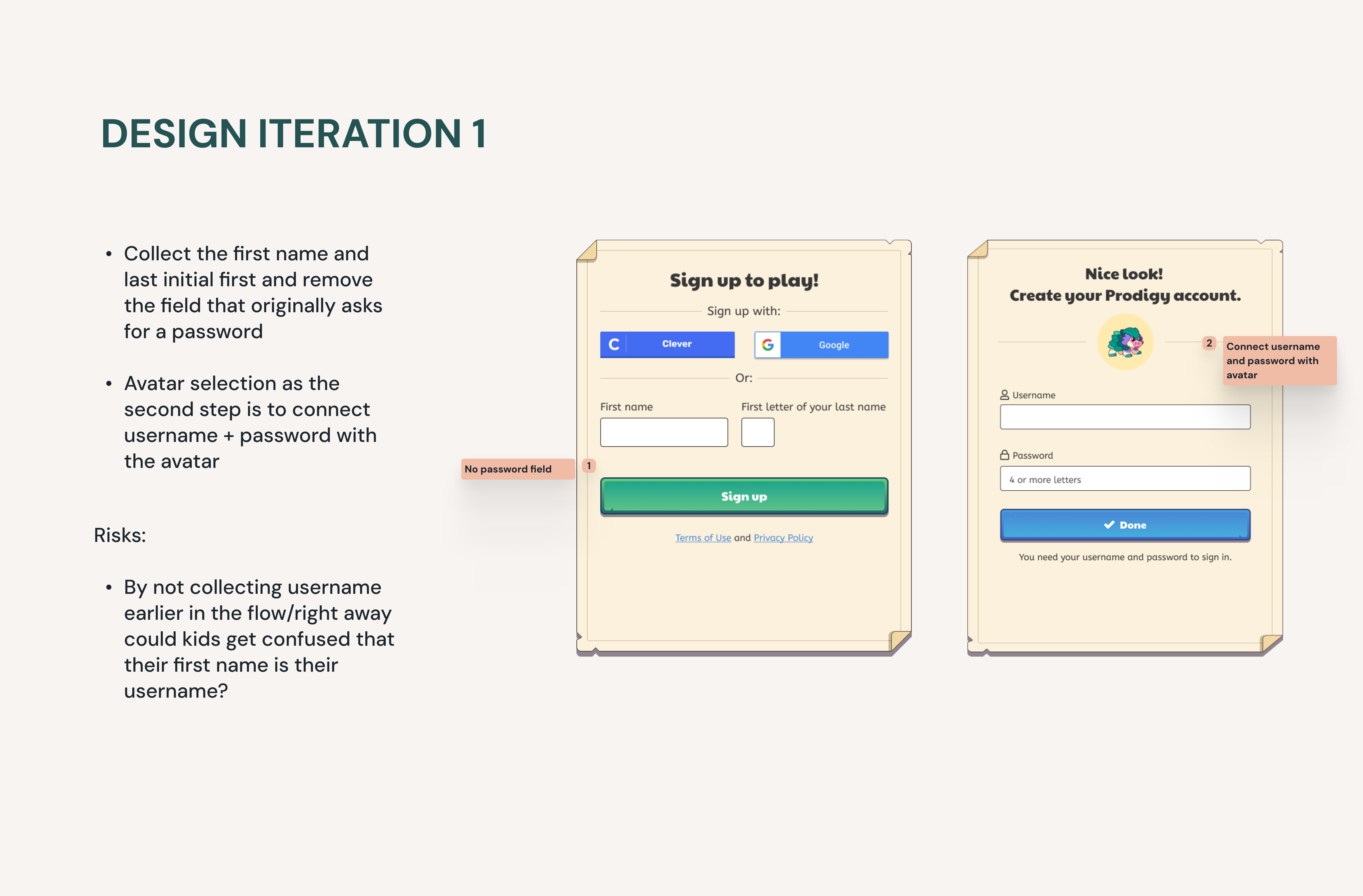
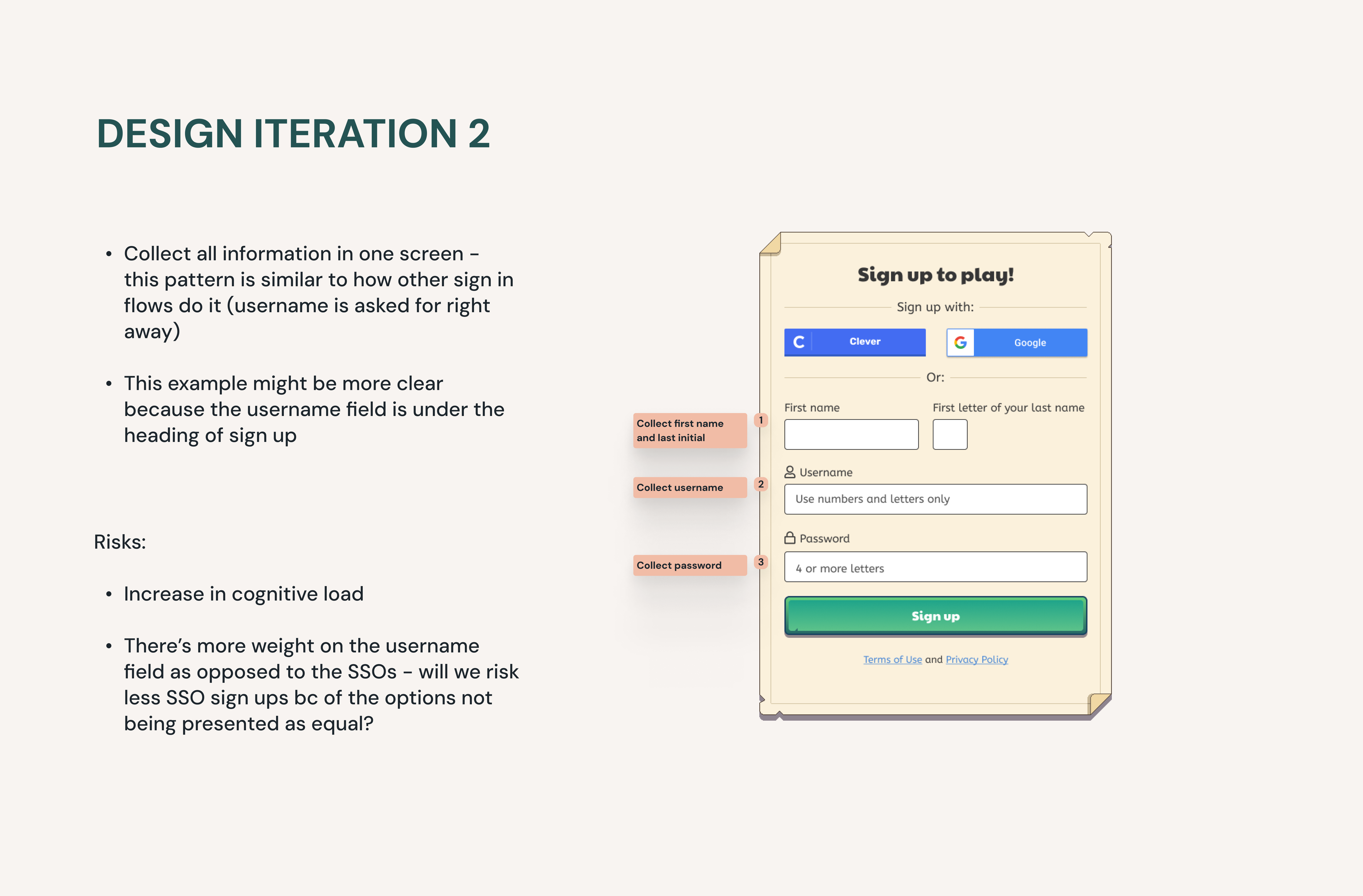
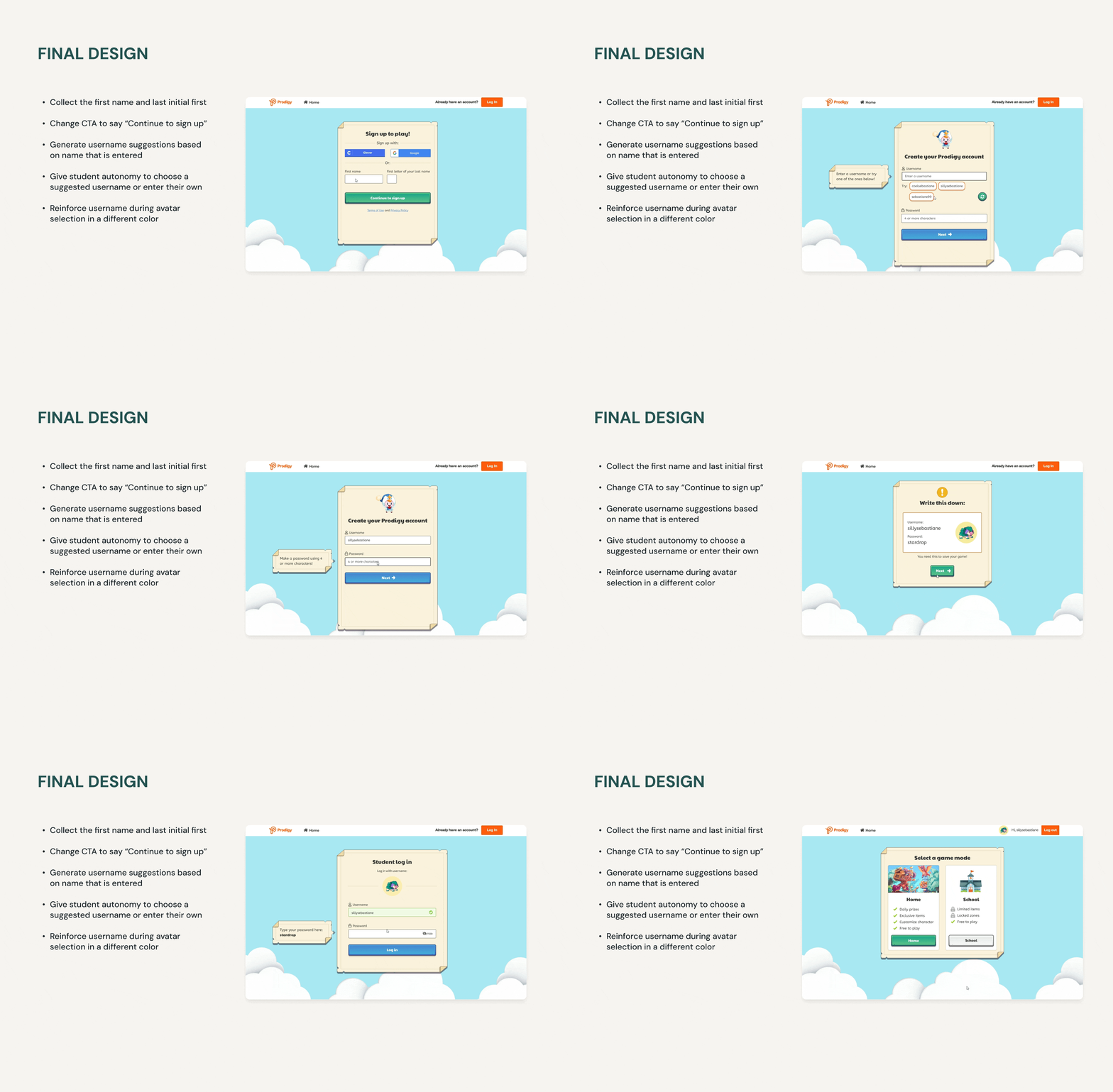
For this initial path (V1), all students will get the same experience of a freeform username field. Pairing with my Technical Lead allowed me to better understand the technical constraints of our username suggestion engine.
We can create a suggestion algorithm based on first name and age of acquisition. At certain scale, integers are unavoidable but:
- We can limit integers to a specific range (0-99)
- When we migrate users to the new system we can "reclaim" usernames for inactive users
- We can also enact data retention policies that places inactive usernames back into the pool after a certain period of inactivity
KEY METRICS AND EVENT TRACKING
Experiment design
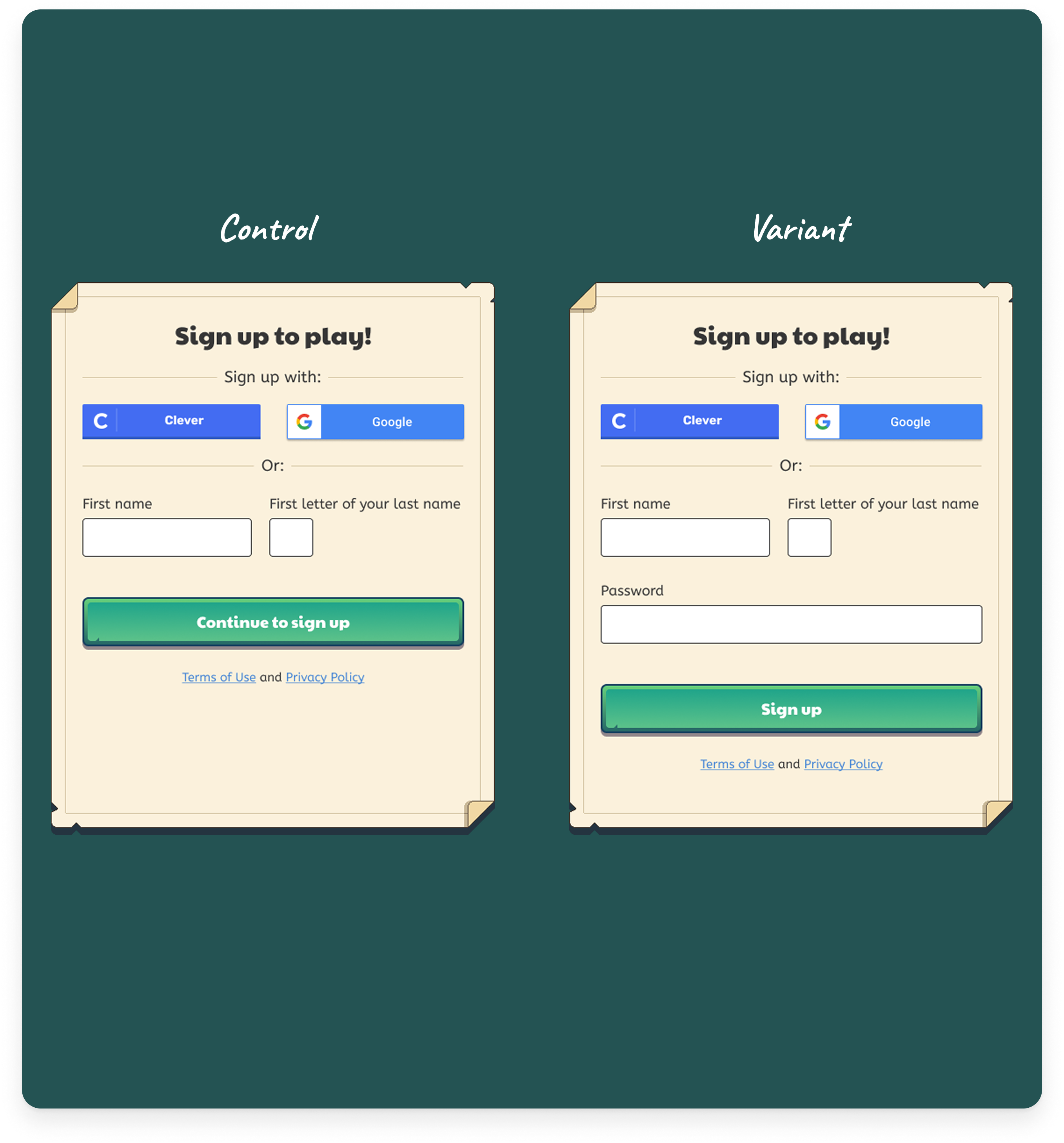
Using Optimizely, we bucketed students into 2 groups to further validate our new design (variant) against our current state (control). Students were either randomly assigned to the control design or the variant design.
We focused on percentage of high value players (% HVP) as our primary metric in tracking success.
- % HVP (14 days) - within 14 days since entering username registration flow, have the students had at least a 30 minute session at home
Secondary metrics included:
- 7D first login rate - within 7 days did the student login through username and password?
- Game session rate from D1-D7 - Between 1 day after registration (D1) and the 7th day (D7), did the student have any game session?
THE EXPERIMENT RESULTS
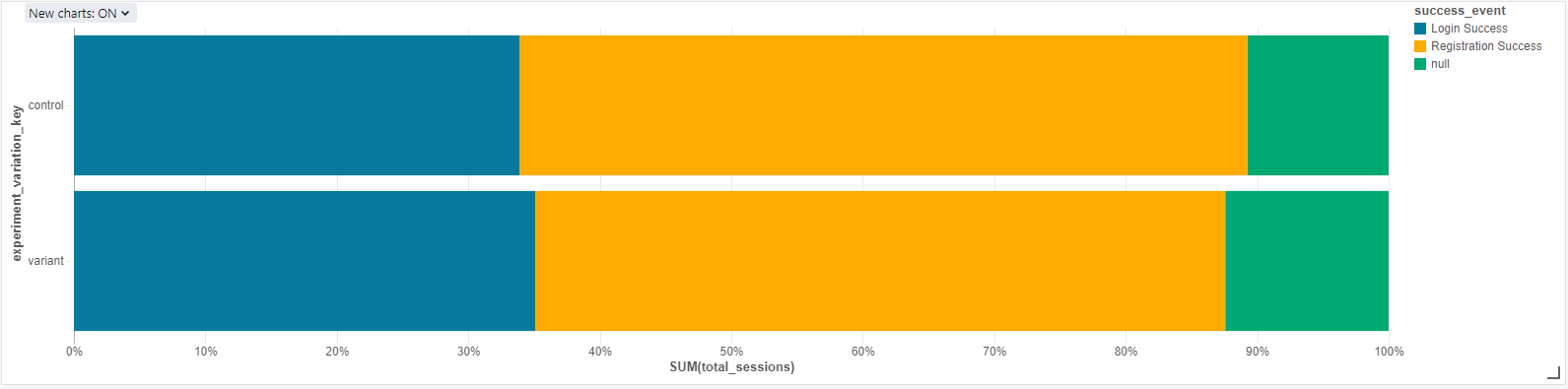
35% of users logged in successfully in the Variant as opposed to 33% in the Control
We saw higher login successes in the new design (Variant) as opposed to the current state (Control)
Although registration/sign up rates were lower in the Variant this friction can actually be seen as good. Because there were less registrations, there were also less students consistently creating new accounts whenever they didn't remember their credentials
The variant can be interpreted as giving us higher quality student accounts
What are our next steps?
This work paved the way for further design opportunities:
- Iterate on the Variant and consider running multi-armed bandit test
- In traditional A/B testing, traffic is evenly split between two variations (both get 50%). Multi-armed bandits allows us to dynamically allocate traffic to variations that are performing well while allocating less and less traffic to underperforming variations
- We know that the tutorial is a huge drop-off point for kids after username registration - we could consider dropping the tutorial and monitor how many kids are able to login without the tutorial, whilst comparing it to a version where we keep the tutorial